
Forge
A Record For Every Job. Every Day.
Stop piecing together what happened from texts and memory. Forge ties daily logs to every project — with worker counts, status, and site context already in the record. The office sees what the field sees, the same day it happens.
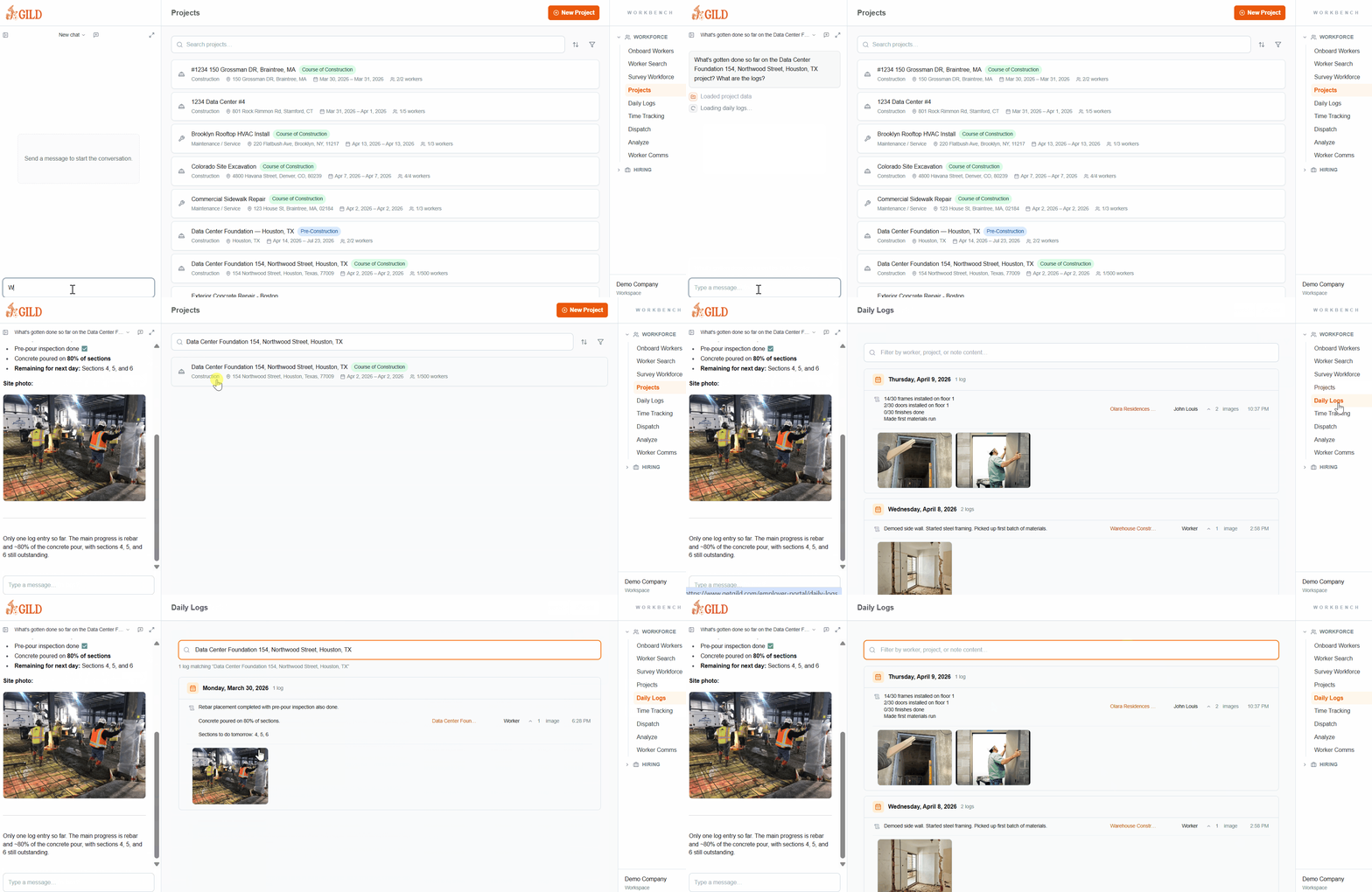
Shown aboveActive project list with construction status, site locations, date ranges, and crew counts — all feeding daily log history
The Office Sees What The Field Sees
Every project in Forge carries its own log history — structured, searchable, and tied to the crew activity already in the system.
Project-Tied Logs
Every Log Has A Home
Each entry is attached to a specific project, location, and date. No orphaned notes, no context-free updates — the record tells you exactly what happened and where.
Status Visibility
Know Where Every Job Stands
Project status — pre-construction, course of construction, complete — stays current as work progresses. The office sees stage and activity without asking.
Crew Attribution
Who Was On-Site Is In The Record
Worker counts and crew assignments tie into the daily log automatically. No manual entry to cross-reference with dispatch or time tracking.
Searchable History
Find Any Day On Any Job
Search and filter across every project's log history from one view. When a dispute or change order comes up, the documentation is already there.
AI · Field Intelligence
A Log Is Just The Start. Forge Reads The Whole Job.
Every daily log feeds a structured model of the work. Forge's AI parses field entries and places them inside a living hierarchy — project, structure, system, opening, task — so PMs and leadership can ask questions at any level and get answers from real field data.
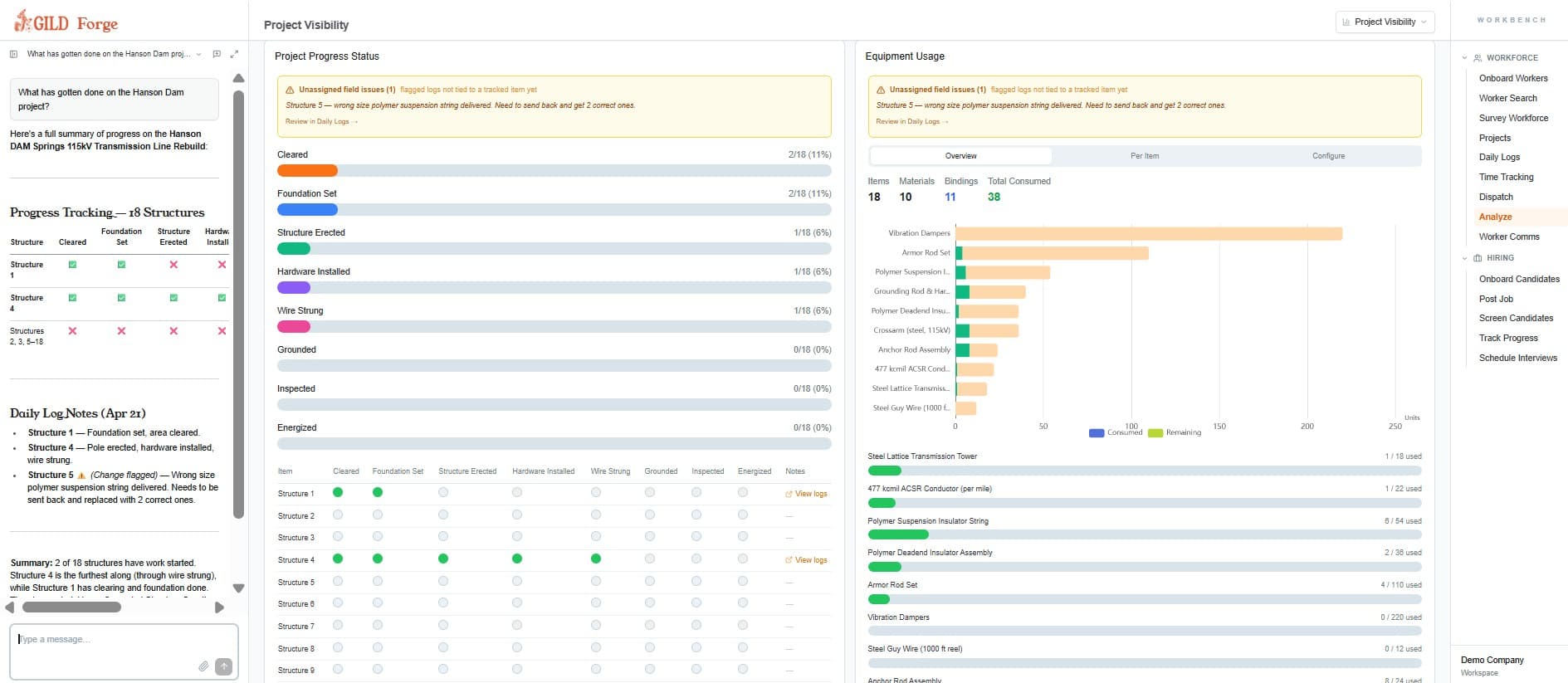
ExampleForge tags field activity against each structure on the line — not a free-text blob — so every step rolls up to real, structure-level progress.
Items · Structure
Steps tracked per structure
Ask Forge“Which structures are ready for inspection and which are still waiting on hardware?” — answered straight from the field logs.
Project
The full scope of work — every structure, mile, and milestone on the line. Rolled-up progress lives here.
Item Type
The kind of thing being tracked — on a transmission rebuild that's a structure; on other jobs it might be a pole, span, or vault.
Structure
Each individual asset on the ground — STR-047, STR-048, and so on. AI ties every log entry to a specific structure.
Step
The standard lifecycle per structure — cleared, foundation, erected, strung, grounded, inspected, energized. One source of truth for progress.
From Site Activity To Structured Record
Log Against The Job
Every daily entry is tied to a specific project and date — not a free-text field. Context is built in from the start.
Crew Activity Included
Worker counts, dispatch data, and time entries roll into the log automatically so the record reflects what actually happened.
Searchable History
Pull up any project's log history instantly — for change orders, dispute resolution, or compliance review.
- Logs are tied to a specific project, location, and date — not a generic form
- Worker counts and crew activity roll into each daily entry automatically
- Project status (pre-construction, in progress, complete) stays current without manual updates
- Search and filter logs across every active job from one view
- Field notes feed into change order documentation and dispute resolution
- Managers can review and flag entries before they become part of the record
Stop Chasing The Foreman For Updates
When daily logs live in text threads, notebooks, or someone's memory, the office is always a day behind. Forge makes field reporting structured and tied to the project from day one.
- No more reconstructing the week from WhatsApp threads
- No more 'what happened on Thursday?' calls on Monday morning
- No more gaps in the record when a dispute or change order comes up
- No more logs that exist but can't be found when you need them
See Daily Logs In Forge
Get a personalized walkthrough showing how Forge handles daily logs for your operation.
Demo In Your Inbox
By submitting, you agree to our Terms and Privacy Policy.
Or Talk To Our Team
Schedule A Call